Wednesday, September 30, 2009

More Live Video Processing 2


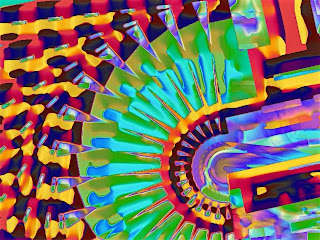
Another live video processing experiment. Runs slower but a lot more going on it it. Used a PASeq as opposed to a single image processing effect to build complexity. The new PASeq preference option was used so the screen only updates once per cycle for PASeq loop action processing of the live video feed. All done in Studio Artist 4.

Tuesday, September 29, 2009

Powerbook Live Video Processing


I've been playing around with Studio Artist 4 on a powerbook running live video effect processing using the built in iSight camera. It's surprisingly zippy. And only running 2 cpu cores as opposed to my usual 8.

Variations on a Face 14


Another wild abstraction example in the variations series. All generated in Studio Artist 4 using different MSG presets.

Monday, September 28, 2009

Variations on a Face 13


This example has a symmetry thing going on in addition to the abstraction processing. Another in the variations series created by directed evolution of MSG processors in Studio Artist 4.

Sunday, September 27, 2009

Turning off Threading for Recursive Processing


In general threading is a great thing for image processing code, since you get close to a Nx speedup for N threads running on different cpu cores. So why would you want to turn it off?

It's possible in Studio Artist's MSG modular image processing architecture to build recursive IO connections. For some MSG processors it doesn't matter, but for things like warps or filtering where the output image buffer is also the input image buffer, strange and magical things happen because of the recursive feedback created by this kind of recursive processing. Now if you thread the processing into multiple cores processing separate bands in the image the recursive spatial feedback is broken up into N chunks. So you get a banded visual effect associated with the recursive processing that is very different than what you would see with non-threaded processing. And the banding is a function of the number of cpu cores.

So i added a new Studio Artist 4 preference option yesterday that lets you turn MSG threading off if you wish. The image at the top of this post is with threading off. The image below is with threading on. Notice the difference in the appearance.


Now sometimes the banding effect associated with threaded processing can be visually quite stunning, so you really do want to have the option of choosing whether you are running this kind of preset with threading on or off.

Variations on a Face 12


The amazing thing about MSG is that I'm always surprised by new processing effects it's capable of generating. This one in particular is fascinating. It shows the power of directed evolution for generating new visual processing effects, since i'm not even sure where i would have started if i tried to generate this particular effect from ground zero by building a processing chain by hand. The nice thing about directed evolution is that you just choose the example effects you like and then evolve or mutate variations off of the chosen preview image, continuing that iterative process until you arrive at your final effected image(s).

Saturday, September 26, 2009

Variations on a Face 11


A cool abstraction example from the variations series. Like all the images in the series, this was generated using MSG processors that were assembled into visual processing presets using the Studio Artist 4 evolution editor.